View app notifications
Notifications are another way we communicate with you! You may be notified when League has sent you a message, your claim has been processed, or a service has been added to your policy.
To locate your notification center, follow these instructions. View instructions for:
On Mobile
1. Tap on the notification (bell) icon.
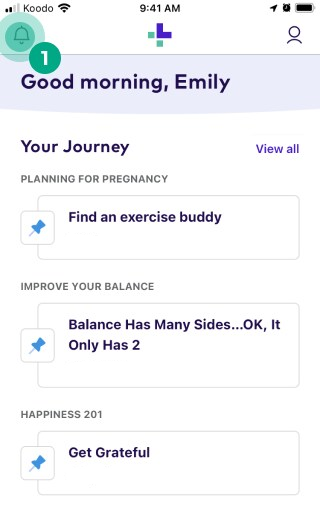
2. Scroll through your notifications to get caught up!
-cbda08774ccd512af8f072899b031979.png)
On Web
1. Click the bell icon in the top right-hand corner.
-4de9d806146e65199d32d521832f2bc5.jpeg)
2. A dropdown menu will appear. To see your entire notification history, click "See All Notifications".
-9aebeb9e24e7e62a7f38d53e0f8918ff.png)
Scroll through your notifications to get caught up!