Invite friends to a challenge team
While challenges are fun on their own, they’re even more fun when you compete in a team. You can invite friends to join a team you joined or created so you can compete together, as long as there are spots left.
Note: You can only join a team within the challenge signup period. You can find this date at the top of the challenge.
See instructions for:
On mobile
1. Tap “Journey”.
-56b5b69559b6a75e55dc4c41602553d3.jpeg)
2. Tap the “Progress” tab.
3. Select the challenge with the team you want to invite a friend to.

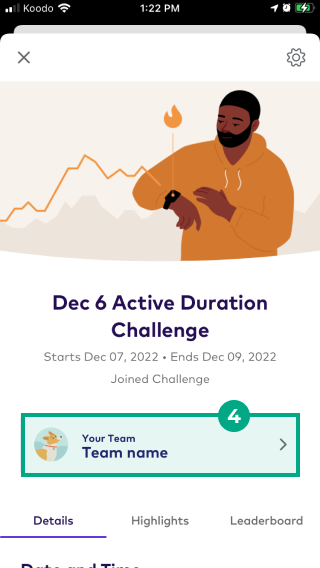
4. Tap the team’s name.
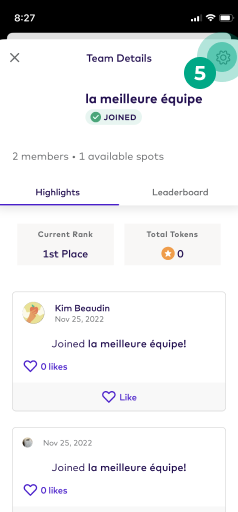
5. Tap the settings (gear) icon.
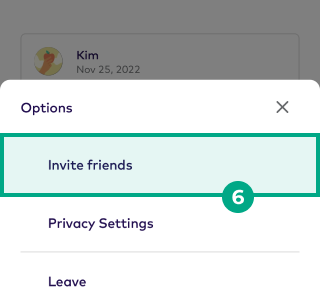
6. Tap “Invite friends”.
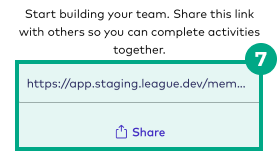
7. Copy & paste the invitation link, or tap “Share” and send the link to your friend.
Your friend can now join the team using the invitation link you sent them.
On web
1. Click “Journey”.
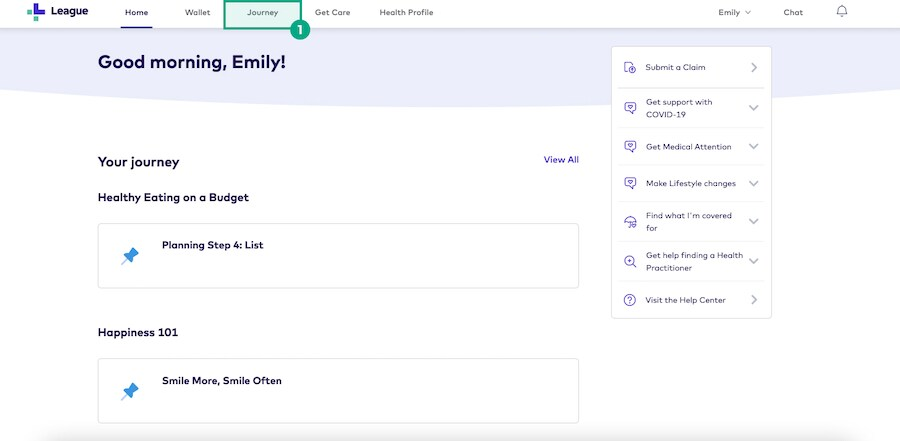
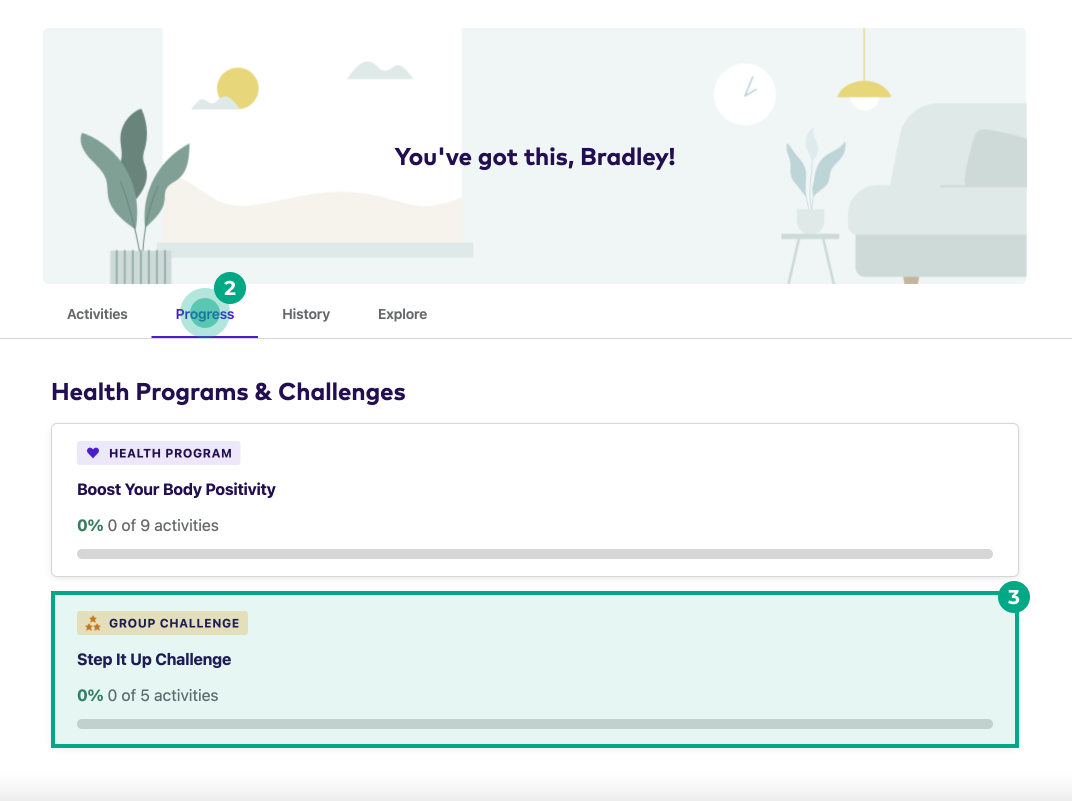
2. Click the “Progress” tab.
3. Select the challenge with the team you want to invite a friend to.
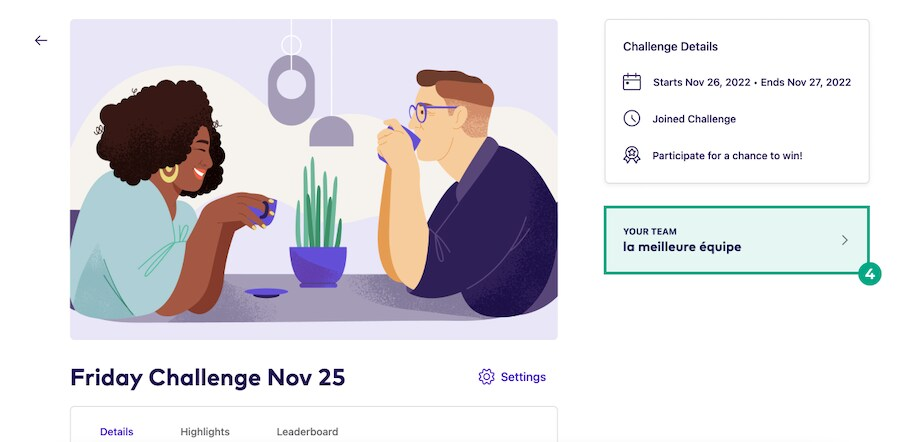
4. Click the team’s name.
5. Click the “Settings” icon.
6. Click “Invite Friends”.
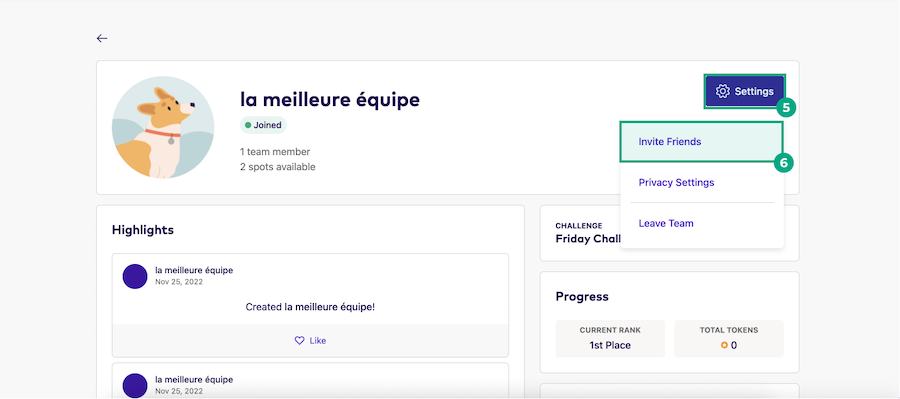
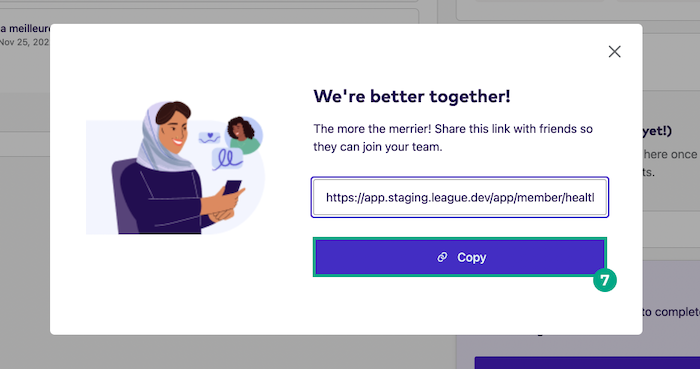
7. Copy & paste the invitation link and send it to your friend.
Your friend can now join the team using the invitation link you sent them.