Connect Garmin to your account
Connect Garmin to your League account so you can track and understand your wearables data, and we can automatically show your progress and complete certain Health Journey activities for you (which means you don’t have to complete them manually).
Note: Right now, you can connect Garmin to your League account from the League mobile app.
Looking for Fitbit? Fitbit is now Google Health. Connect Google Health to your account.
Connect Garmin to your League account
Follow these steps to connect Garmin to your League account:
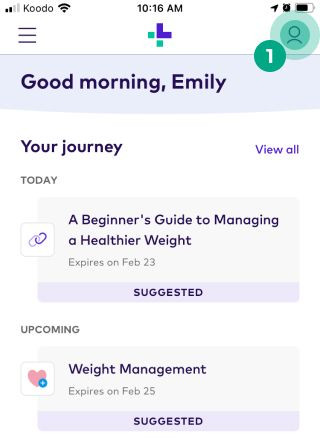
1. Tap the profile icon.
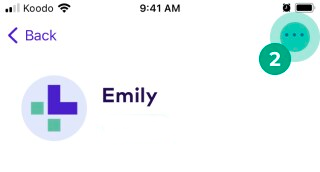
2. Tap the ellipsis (three dots) icon.
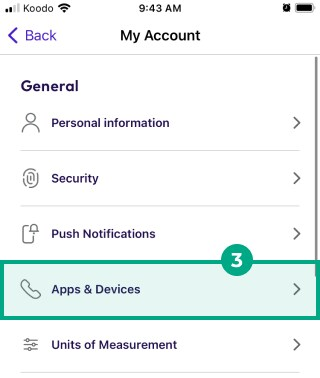
3. Tap “Apps & Devices”.
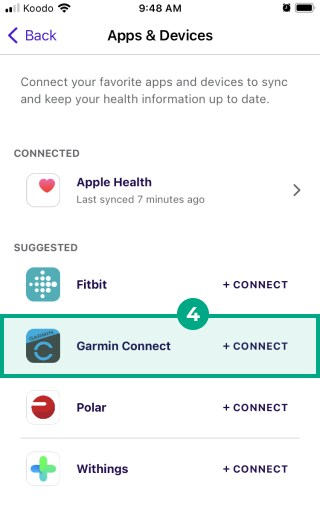
4. Select Garmin under the “Suggested” heading.
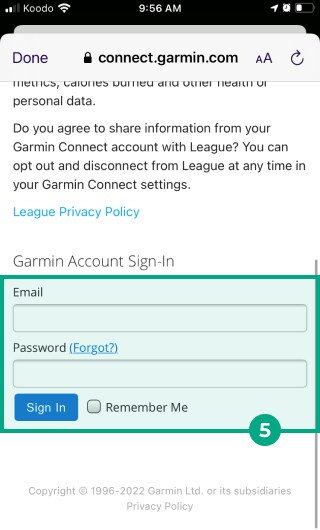
5. Sign in to your Garmin account.
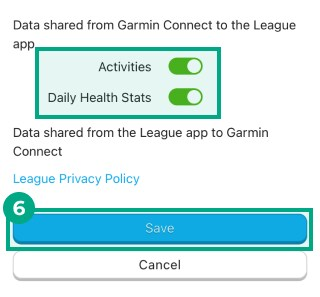
6. You’ll see a list of data you can share. Tap the toggle beside each data point so it turns green, then tap “Save”.
7. Review the privacy information and tap “Agree” if you agree.

You can now track your Garmin data in your apps & devices metrics and connected Health Programs. You can edit your data sharing permissions anytime.